ٹرم کی تاریخیں مقرر کریں
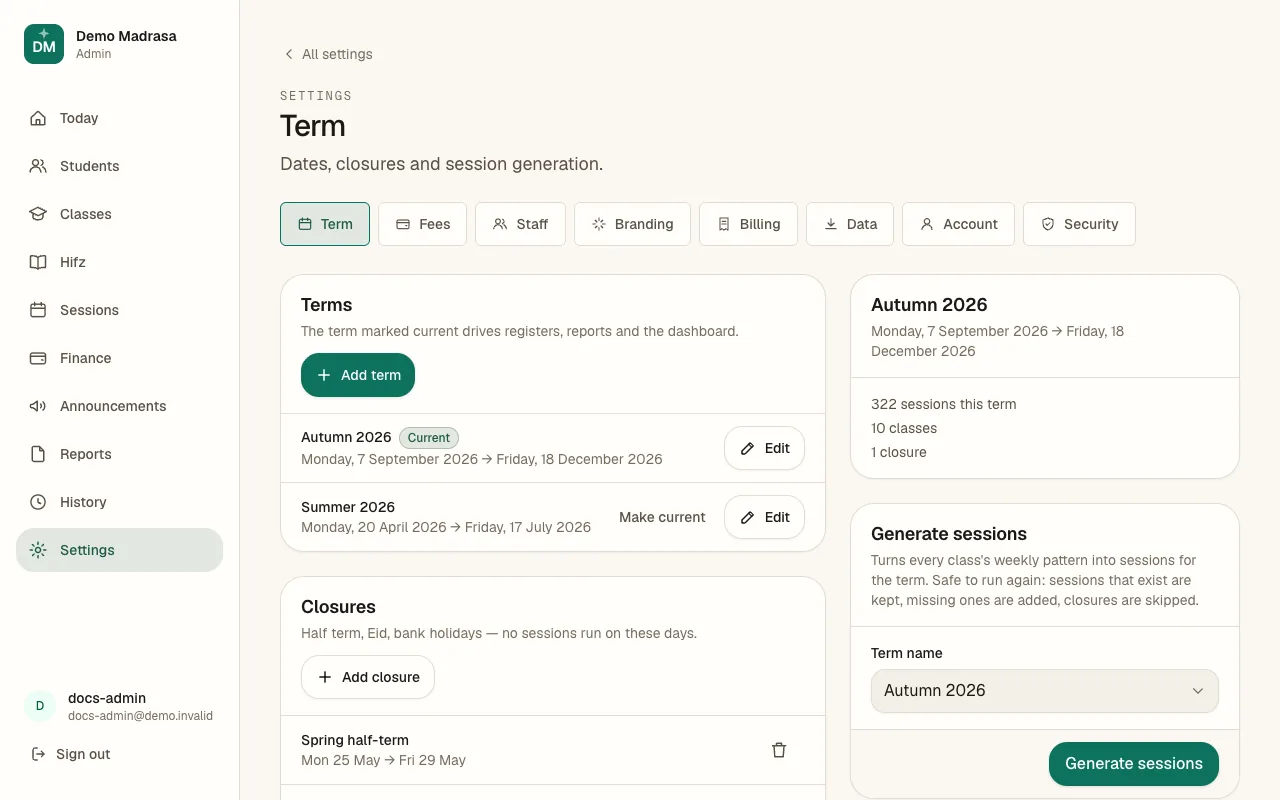
Go to Settings → Term. Enter the term's name, start and end, and add closures for half term, Eid and bank holidays. Once your classes have their weekly slots, press Generate sessions: it makes one session for every slot in every week of the term, none on closure days, and pressing it again changes nothing.
مشورہ
اپنی پہلی کلاس شامل کریں
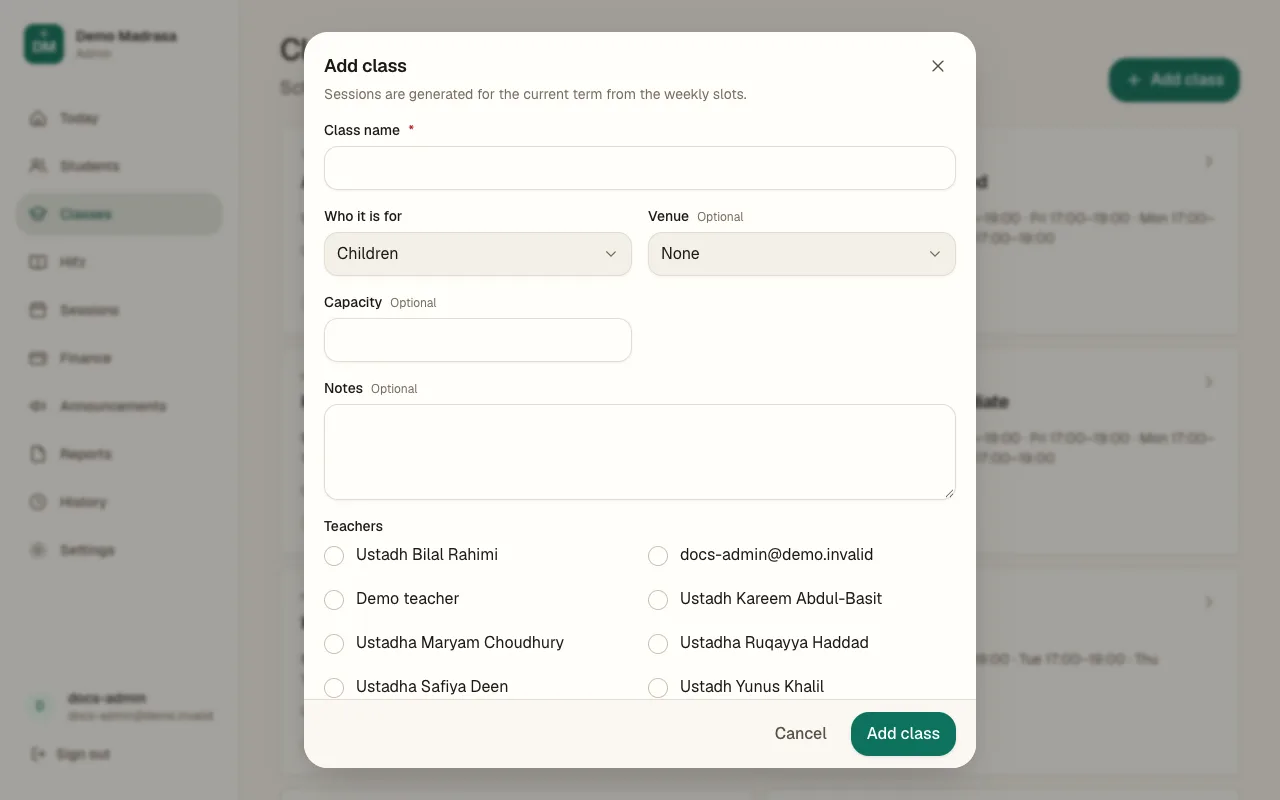
Classes → Add class. Give it a name, who it is for — children, adults or both — a venue and a capacity, and one or more weekly slots: day, start and end. Assign its teacher, then generate the term's sessions.
طلبہ شامل کریں
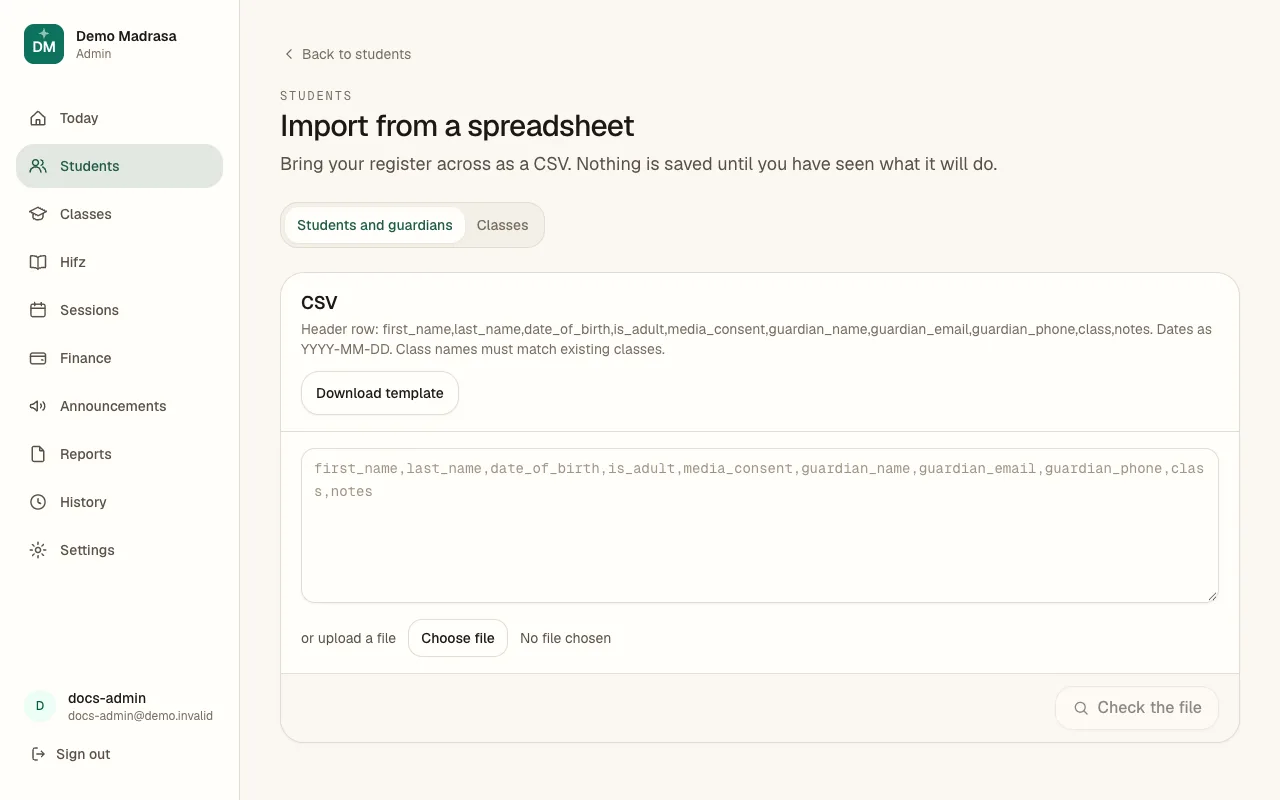
Add learners one at a time from Students → Add student, or import a spreadsheet saved as CSV. Every row is checked before anything is saved, and any line with a problem is shown with its line number so you can fix it and check again. New families get a guardian and a billing contact at the same time.
مشورہ
استاد کو دعوت دیں
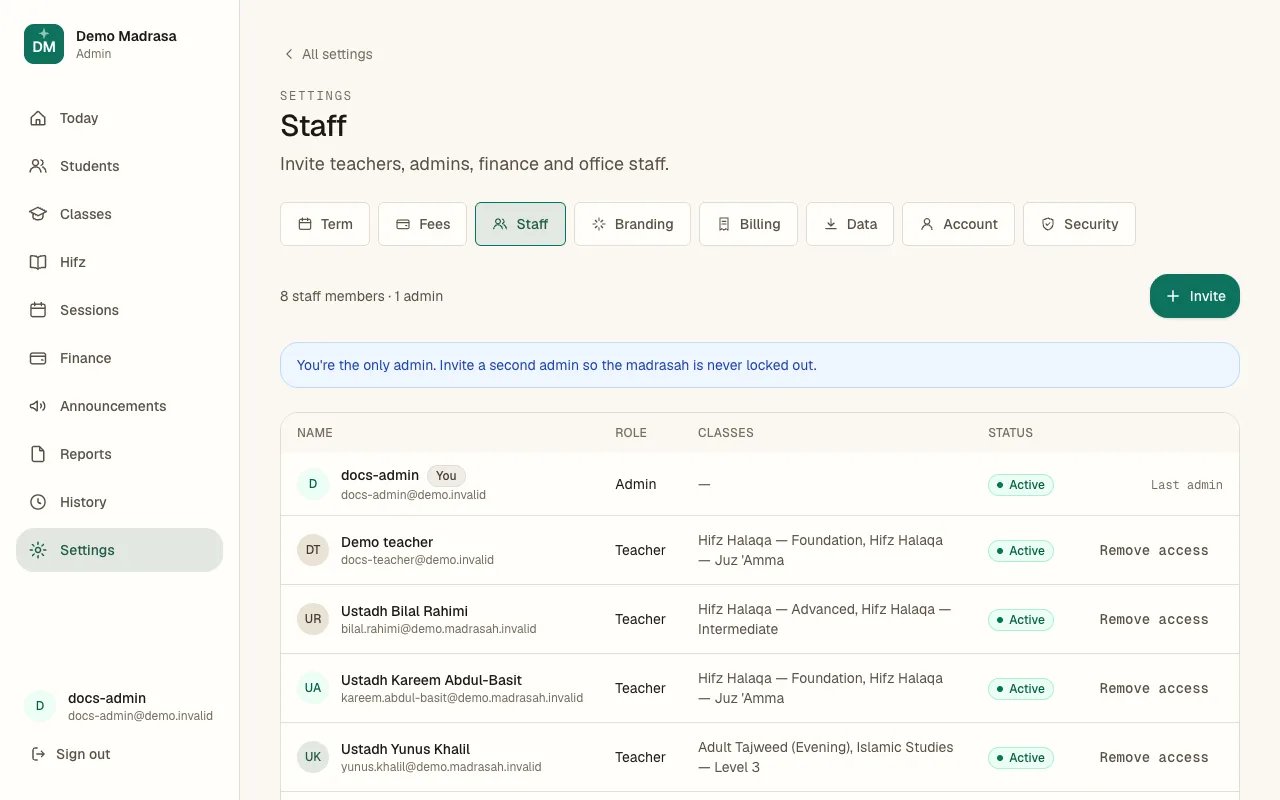
Settings → Staff → Invite. Teachers get an email with a sign-in link — there is no password. They see only the classes they are assigned to, from their phone. Admins manage everything — invite a second admin so the madrasah is never locked out.
اپنی فیس مقرر کریں
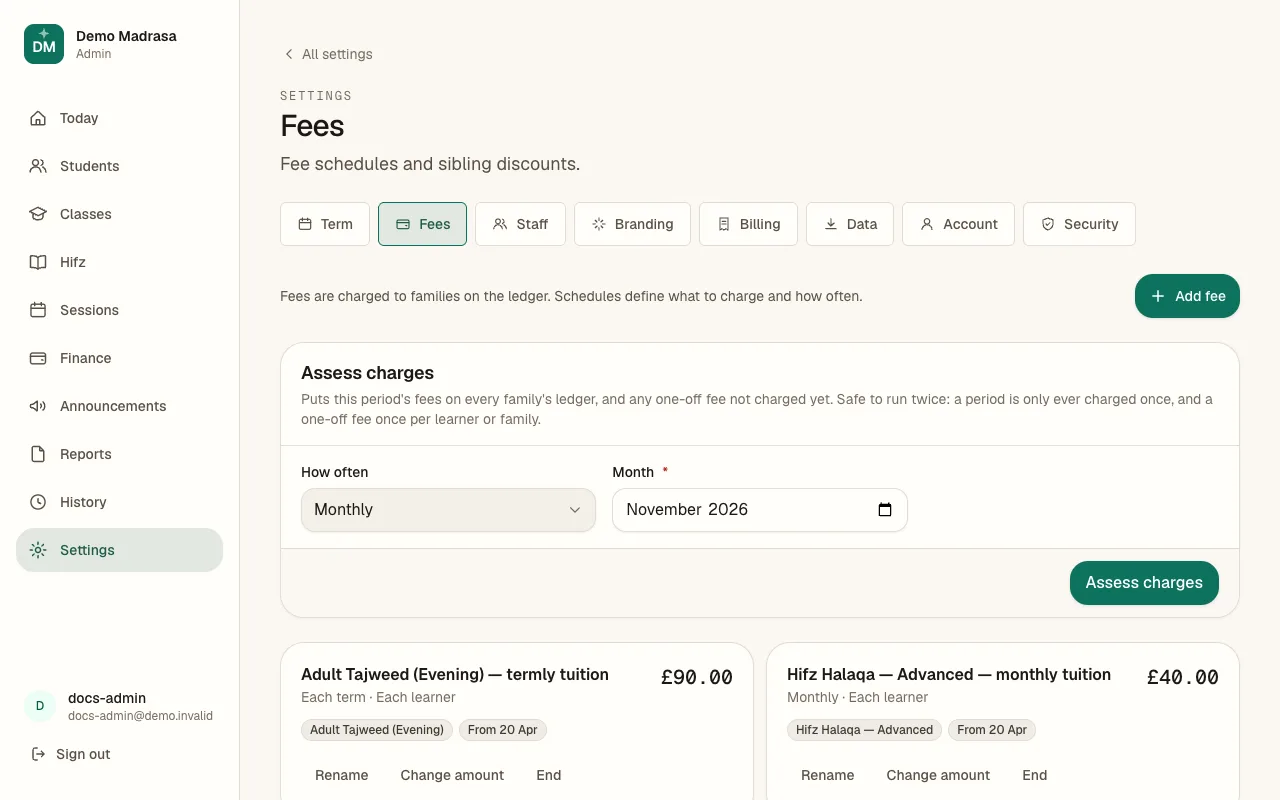
Settings → Fees → Add fee. Charge a class monthly, each term or once, per child or per family, with an optional sibling discount. Each month, or each term, press Assess charges to put that period's fees on every family's account; pressing it twice changes nothing.
خاندانوں کو دعوت دیں
Invite families from Students → Invite families to the portal, or one at a time from a student's record. Each guardian with an email address gets a sign-in link — there is no password — and later signs in with the same address. Print the parent letter from the help centre to explain what they'll see. Once the first register is taken, parents see attendance the same evening.